Why Your Service Pages Get Traffic but Zero Form Submissions
Your service page ranks, people click through, and then nothing. No calls, no form fills, no leads. The problem usually isn't your SEO. It's a handful of fixable friction points between the visitor landing and the form sitting at the bottom of the page.
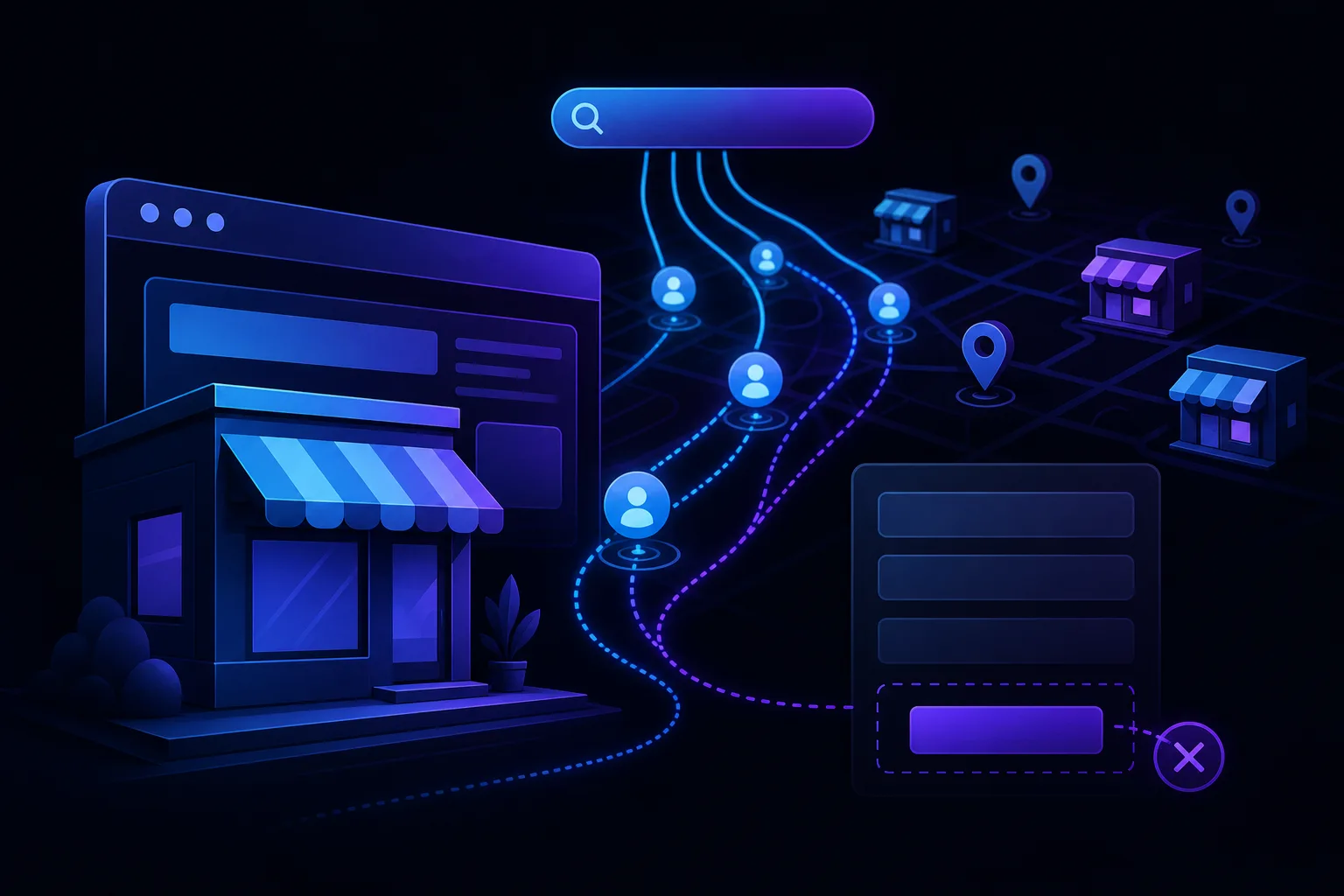
TL;DR: Traffic without conversions means something between the headline and the submit button is breaking trust, raising friction, or failing to answer the question the visitor actually came with. This is a conversion problem, not a traffic problem. Fix the page before you spend another dollar driving more visits to it.
What Happened
You did the SEO work. The page ranks. Google Search Console shows impressions, clicks, decent average position. But your CRM is quiet. Your inbox is empty. The form sits there collecting nothing.
This is one of the most common small-business website problems, and it has a specific name: a conversion gap. Visitors are arriving and leaving without taking action. The gap can exist for a dozen reasons, and almost none of them are about keyword targeting.
A few patterns show up over and over across service businesses, from HVAC companies to law offices to repair shops.
Why It Matters
Every visit you paid for, earned, or waited months to rank for is either converting or leaking. A page with 500 monthly visitors and a 0% conversion rate is delivering the same business result as a page with zero visitors: nothing.
Worse, you might interpret the silence as an SEO problem and go fix rankings that are already fine, while the real issue stays broken.
Here are the specific friction points that kill form submissions on otherwise-ranking service pages.
The form is buried
If your contact form lives below three paragraphs of company history, a team photo, and a list of certifications, most visitors never reach it. On mobile, "below the fold" can mean four or five full scrolls down. People leave before they get there.
Fix: Put a short form or a clear call-to-action button in the top half of the page. Not the only form, just one that doesn't require a scroll marathon.
The page answers the wrong question
Someone searching "emergency plumber West Palm Beach" has a specific, urgent problem. If your page opens with a paragraph about your founding story or how plumbing is an important part of every home, you've already lost them. They came to find out if you can show up today and roughly what it costs.
Service pages that rank but don't convert are often optimized for the search engine and not for the person who just clicked. They answer "what is this service" instead of "can this business solve my specific problem right now."
Fix: Open with availability, service area, and what problem you solve. Save the backstory for the About page.
There's no signal of trust near the form
A form with no context around it asks a visitor to hand over their name, phone, and email to a stranger. That's a high-trust action. If there are no reviews, no license info, no real photo, and no indication of what happens after they submit, a lot of people will close the tab instead.
Fix: Place one or two short reviews, a response-time promise ("We reply within 2 business hours"), and a one-sentence explanation of next steps directly adjacent to the form.
The form itself is too long or too vague
Asking for name, email, phone, service type, address, preferred date, message, and how they heard about you is a job application, not a lead form. Every extra field drops conversion rate.
On the other end, a form that just says "Contact Us" with a blank message box gives the visitor no structure and no confidence that their specific request will land correctly.
Fix: For most service businesses, three to four fields is the right number. Name, phone or email, and one qualifying question ("What do you need help with?") is enough to start a conversation.
The page doesn't match what the ad or search result promised
If someone clicks a search result that says "Free Estimates, Same-Day Service" and lands on a page that doesn't mention either of those things, there's a mismatch. The visitor second-guesses whether they landed in the right place and bails.
This is especially common when a business has one generic service page that ranks for multiple different queries. The page can't be specific enough to feel relevant to any single visitor.
Fix: Check your top landing queries in Google Search Console. If visitors are arriving with a specific intent the page doesn't directly address, either update the page or create a more targeted version. The article on why your local landing page ranks but loses to directories covers a related version of this problem.
The page loads slowly or breaks on mobile
This one sounds obvious and gets ignored constantly. Industry research and data shared by Google have suggested that conversion rates tend to drop as load time increases. A page that takes four seconds to load on a phone is losing a large share of visitors before they read a single word.
Fix: Run your page through Google PageSpeed Insights and fix whatever it flags first. Usually it's image size or third-party scripts.
Find out what your site is leaving on the table Get your free audit

What We Don't Know Yet
Without session recordings or heatmap data, you're guessing at which specific friction point is doing the most damage. You might fix the form length and see no change because the real problem was page speed. Or you fix page speed and discover the form was the bottleneck all along.
Conversion Rate Optimization (CRO) without data is trial and error. The tools exist to make it less random, but most small businesses aren't using them. Scroll depth data, click maps, and session recordings (tools like Microsoft Clarity offer a free tier) can show you exactly where people leave without requiring any guesswork.
Also: if your analytics setup isn't tracking form submissions as conversion events, you might have a reporting problem rather than an actual conversion problem. Worth checking before you rebuild anything. The post on GA4 goals and conversion tracking is relevant here.
What to Do About It
Run this diagnostic sequence before changing anything:
- Confirm the problem is real. Check that form submissions are actually being tracked in GA4. If they're not set up as events, you have a measurement gap, not necessarily a conversion gap.
- Check mobile rendering. Open your service page on your phone. Can you see a clear call to action without scrolling? Does the form load and submit correctly?
- Read your own page cold. Pretend you're a stranger with the specific problem your page targets. Does the first paragraph tell you this business can solve it? Is there any reason to trust them?
- Count your form fields. If you have more than four, cut them.
- Add trust signals adjacent to the form. One real review and a response-time promise costs nothing and typically moves conversions.
- Run PageSpeed Insights. Fix the top two issues it flags.
If you go through that list and still can't identify the problem, the issue may be deeper in the page structure or the site's overall credibility signals. That's where a free audit can surface what a quick checklist misses, or you can talk through it directly.
For a broader look at how your site's structure is working (or not), SmartAleck's web design and conversion services are built around exactly this kind of problem for local service businesses.
Bottom line: traffic is the appetizer. If the page can't close, the meal never happens.
Find out what your site is leaving on the table
SmartAleck's free AI readiness audit scores your search presence and shows the exact gaps costing you customers. Two minutes, no sales call.
Frequently asked questions
Should I add a phone number instead of a form if people aren't submitting?
Adding a prominent phone number is a good idea regardless, since some visitors prefer to call and never intended to fill out a form. But replacing the form entirely usually reduces total leads rather than increasing them. Offer both options and track which one gets used.
How do I know if my form is actually broken versus just not converting?
Submit a test entry yourself and confirm it arrives in your inbox or CRM. Then check GA4 to see if that submission registered as an event. A surprising number of forms stop sending notifications after a plugin update or hosting change without anyone noticing.
Does page design matter if my SEO is already working?
Yes, significantly. SEO gets people to the page. Design and copy determine whether they take action once they arrive. A well-ranking page with a confusing layout or buried form can have a conversion rate near zero while a less-ranked competitor with a cleaner page captures the leads.
What's a reasonable form conversion rate for a local service page?
Benchmarks vary enormously by service type, traffic source, geography, and form design, and should be interpreted with caution. Conversion rates for local service pages differ so widely across contexts that no single range reliably applies, what matters most is whether your own rate is improving over time relative to your specific audience and offer. If your form is confirmed working and submissions are still low, one of the friction points covered above is almost certainly the cause.
You May Also Like
View All Posts
Why Your Service Area Pages Aren't Ranking (And the Fix)
Service area pages often fail not because they exist, but because they're thin, duplicate, or disconnected from the rest of your site. This guide explains the five most common reasons they stall in search and gives you a concrete fix for each one.
Why Your Service Pages Rank But Your Homepage Doesn't
Your service pages climb Google's results while your homepage sits in the dark. This is usually a focus problem, not a technical one. Here's why Google treats your homepage differently and what you can do to fix it without blowing up your site.
How to Write a Service Page That Ranks and Converts
Most service pages are a paragraph of vague marketing-speak and a contact button. Here's the exact structure to write one that ranks in local search and makes visitors actually pick up the phone.

Conversion Rate vs Lead Volume: Which Number Should You Trust?
More leads sounds like good news, but it can mask a funnel that is quietly bleeding money. Conversion rate sounds like the smart metric, but a small sample can make it meaningless. Here is how to read both numbers without being fooled by either.